Turn photo into sketch portraits and gifts
Turn photo into sketch portraits of family, friends, or pets — printed and framed, they look hand-drawn and cost nothing to make. Grandparents especially love a pencil version of a family moment.

Convert any photo into a pencil-style sketch with soft gray shading and adjustable pencil strength. Free, no signup — the fastest way to turn photo into sketch art runs entirely in your browser.
Updated September 2026 by the team
Upload a photo to start
Drag and drop a JPG, PNG, or WebP image, or click to browse. Max 15 MB.
You can also paste an image from the clipboard (Ctrl+V / ⌘V).
The same photo, converted with the default settings you get when you turn photo into sketch art for the first time. Faces keep their form through shading, not just outlines.
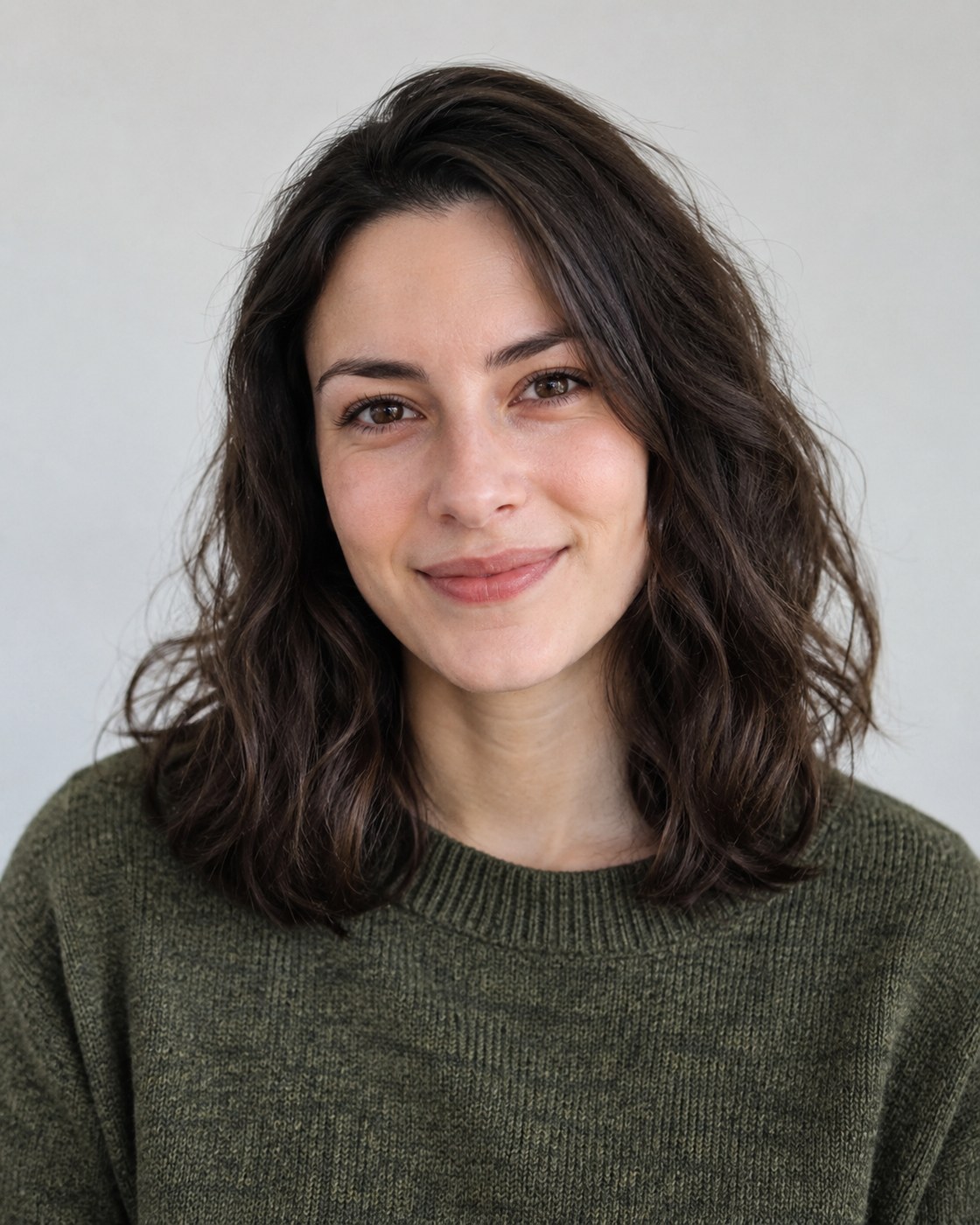 Before
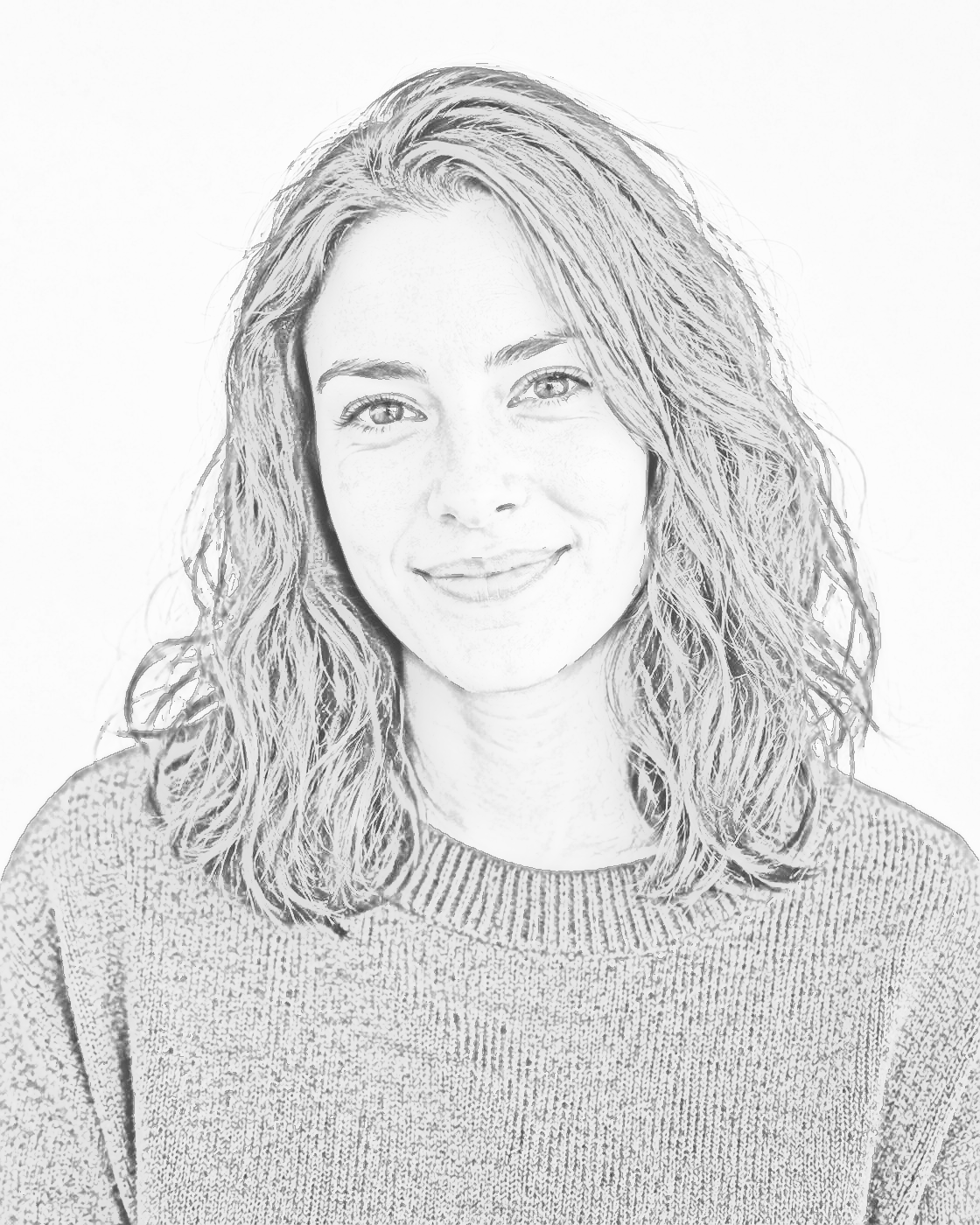 After
AfterThree steps to a pencil drawing of any picture.
Pick a JPG, PNG, or WebP image. Photos with clear light and shadow give the most dramatic results when you turn photo into sketch drawings — side light sculpts a face beautifully.
Pencil Strength darkens strokes, Contrast deepens shadows, and Detail adds definition — three sliders that turn photo into sketch art with your own signature look.
Save a high-resolution PNG of your pencil drawing. When you turn photo into sketch art for gifts, print on textured paper for a genuinely handmade feel.
A real pencil look, not a filter sticker: the classic color-dodge technique builds soft graphite shading from the photo's own light, then a subtle edge pass adds definition where the pencil needs to be sharp. The result keeps broad gray washes, so round objects still look round.
This is the only style on the site that keeps shading on purpose. When you turn photo into sketch output, dark areas become graphite shadow, bright areas stay paper-white, and edges get just enough stroke emphasis — like a study drawn from life.
Portraits benefit most. Because shading carries the form, a face keeps its structure even when the photo was taken in low light; raise Contrast if the original looks flat. Every time you turn photo into sketch output, the shading is rebuilt from the photo's own light, so each sketch stays unique to its source picture.
“A sketch is a rapidly executed freehand drawing that is not usually intended as a finished work.”
Graphite-style output opens different projects than pure line art — here are the favorite ways to turn photo into sketch artwork.
Turn photo into sketch portraits of family, friends, or pets — printed and framed, they look hand-drawn and cost nothing to make. Grandparents especially love a pencil version of a family moment.
Students study light and shadow by comparing the original photo with its pencil version side by side.
A soft pencil rendering suits memoirs, recipes, and storytelling posts better than sharp line art.
Clients bring pencil-style references to studios because the shading communicates volume clearly — turn photo into sketch mockups before the first consultation and the whole planning gets easier.
Art learners print the sketch lightly and re-ink it, training their line control over a correct base. It is the classic atelier exercise, made simple enough to turn photo into sketch practice sheets in seconds.
A pencil sketch avatar stands out while still looking like you.
Yes — the sketch tool is free, unlimited, and needs no account. Every conversion happens in your browser.
No. The output is grayscale pencil on white — color is removed on purpose so the shading reads as graphite when you turn photo into sketch drawings.
Line art keeps only clean black outlines; a sketch also keeps gray shading, so round shapes and shadows stay visible. Decide which style you need before you turn photo into sketch or line art output — both are free here.
Yes. Raise the Contrast slider and the sketch pulls structure out of low-light photos; Detail adds extra definition to faces.
Never. The engine runs locally with Web Worker technology, so photos are processed and stay on your device.
Absolutely. The grayscale shading prints well on plain and textured paper — a printed sketch on drawing paper looks genuinely handmade, which is why so many people turn photo into sketch prints for gifts and cards.
JPG, PNG, and WebP up to 15 MB, at least 128 pixels on the short side — the same limits as every tool on this site, so you can turn photo into sketch art from any device.
A preview renders in roughly 2 seconds. When you turn photo into sketch here, files up to 15 MB are accepted, PNG export keeps up to 4096 px, and all processing stays on your device.