Coloring and painting bases for image to line art converter output
Artists use the image to line art converter to turn reference photos into a clean base layer for coloring, ink practice, or digital painting.

Turn any photo or picture into clean black-and-white line art in seconds. Free, no signup, and every image is processed directly in your browser.
Updated September 2026 by the team
Upload a photo to start
Drag and drop a JPG, PNG, or WebP image, or click to browse. Max 15 MB.
You can also paste an image from the clipboard (Ctrl+V / ⌘V).
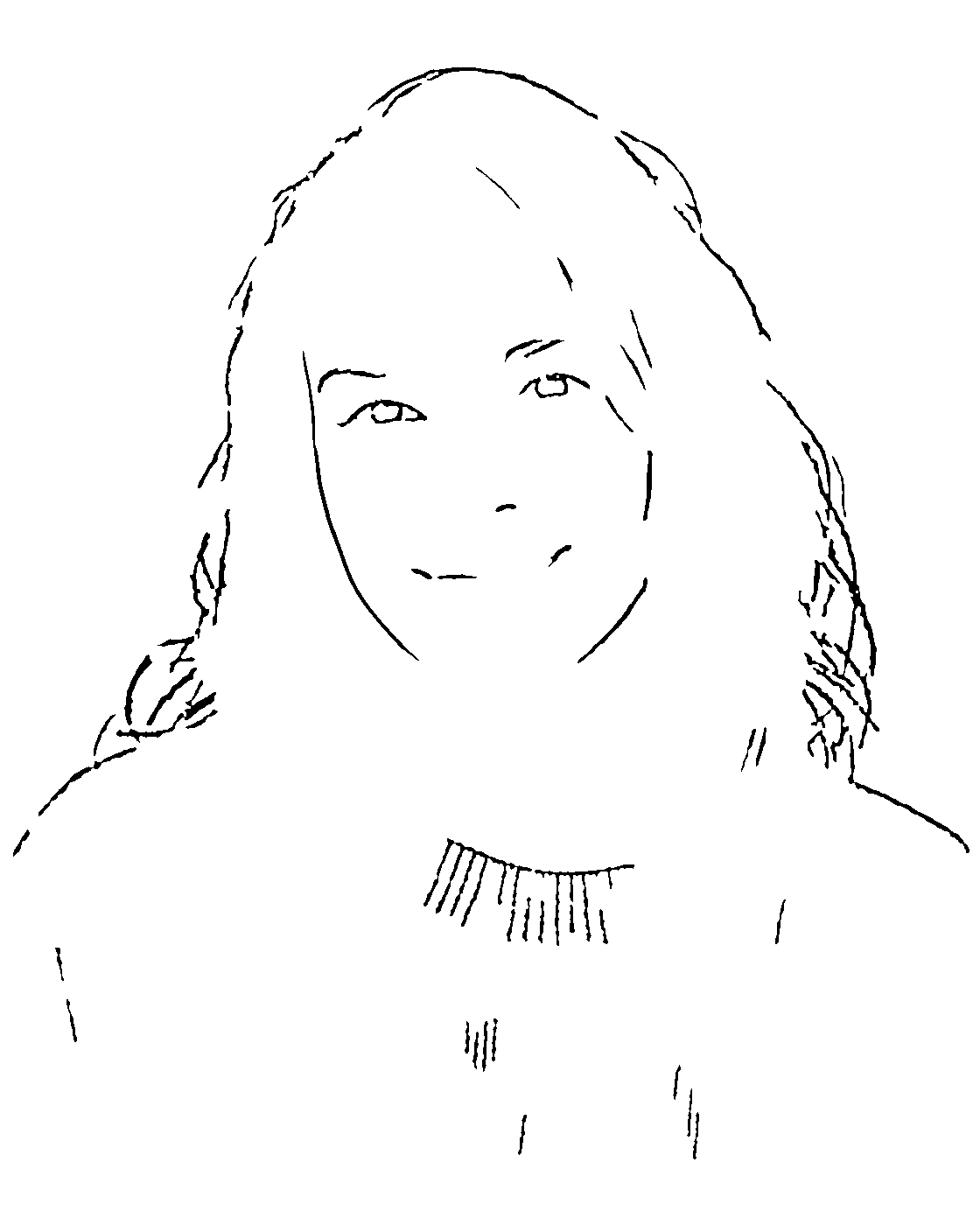
The same photo, converted with the default settings. Portraits keep facial features, pets keep their main structure, and buildings keep their edges.
 Before
 After
AfterThree steps, about ten seconds, and no account required.
Drop in a JPG, PNG, or WebP file up to 15 MB. The image to line art converter prepares a working copy in your browser instantly.
Detail, Line Strength, Contrast, and Noise Removal sliders shape the result live, so the image to line art converter matches the style you want.
When the preview looks right, download a high-resolution PNG. The image to line art converter keeps your original aspect ratio.
The image to line art converter produces clean black lines on a pure white background. It keeps the contours that define your subject — facial features on a portrait, ears and eyes on a pet, window frames on a building — while removing photographic texture, color, and large shadows. The result reads like a tidy ink drawing rather than a filtered photo.
Compared with a simple edge filter, the image to line art converter balances detail and cleanliness. Small specks are removed automatically, lines are smoothed, and important interior details survive, so the drawing still looks like your original subject. If a face looks too busy, raise Noise Removal; if it looks too sparse, raise Detail or Line Strength until the image to line art converter output matches your reference.
Everything runs on your device. The image to line art converter never uploads your photo, never stores it, and works offline once the page has loaded.
“Line art or line drawing is any image that consists of distinct straight lines or curved lines placed against a background, usually plain.”
A picture-to-line-art pass is the fastest first step for many creative projects.
Artists use the image to line art converter to turn reference photos into a clean base layer for coloring, ink practice, or digital painting.
A crisp line version of a photo is easier to trace and adapt, which makes the image to line art converter a popular starting point for tattoo drafts.
Cutting machines, engraving tools, and CNC software all prefer clean line art over photos — convert first, then cut.
Turn any classroom photo into a drawable outline so students can focus on shape, proportion, and shading practice.
Convert a product or mascot photo to line art, then simplify it into a mark of your own.
A line art version of a profile photo stands out in feeds and makes striking profile banners.
Yes. The image to line art converter is completely free with no signup, no watermark, and no daily limit. There is no account to create.
No. All processing happens locally in your browser with Web Worker technology. Your image never leaves your device, which makes the image to line art converter safe for private photos.
JPG, PNG, and WebP files up to 15 MB are supported, with a minimum short side of 128 pixels. GIF, HEIC, and SVG files should be exported as PNG or JPG first.
Photos up to 4096 pixels on the long edge export at their original size. Larger photos are scaled to 4096 pixels, and the aspect ratio always matches your upload.
Line art is pure black ink on white with no shading, while a sketch keeps gray pencil shading. The image to line art converter always produces the clean ink style — if you want the pencil look, use the Photo to Sketch tool instead.
Yes. You convert your own images, so the output belongs to you. Please make sure you have the rights to the original photo you feed into the image to line art converter.
Skin texture and hair can add extra strokes. Raise the Noise Removal or Clean Up slider and the image to line art converter will drop the small specks while keeping facial features.
A live preview typically renders in about 2 seconds for a 12-megapixel photo. Files up to 15 MB are accepted, PNG export keeps up to 4096 px, and the whole image to line art pipeline runs in your browser at no cost.