Photo to line drawing bases for illustration
Illustrators start with a photo to line drawing pass, then color or ink over it in their own style.

Convert a photo into a fine, hand-drawn line drawing with more detail than line art and none of the photographic noise. Free, private, and browser-based.
Updated September 2026 by the team
Upload a photo to start
Drag and drop a JPG, PNG, or WebP image, or click to browse. Max 15 MB.
You can also paste an image from the clipboard (Ctrl+V / ⌘V).
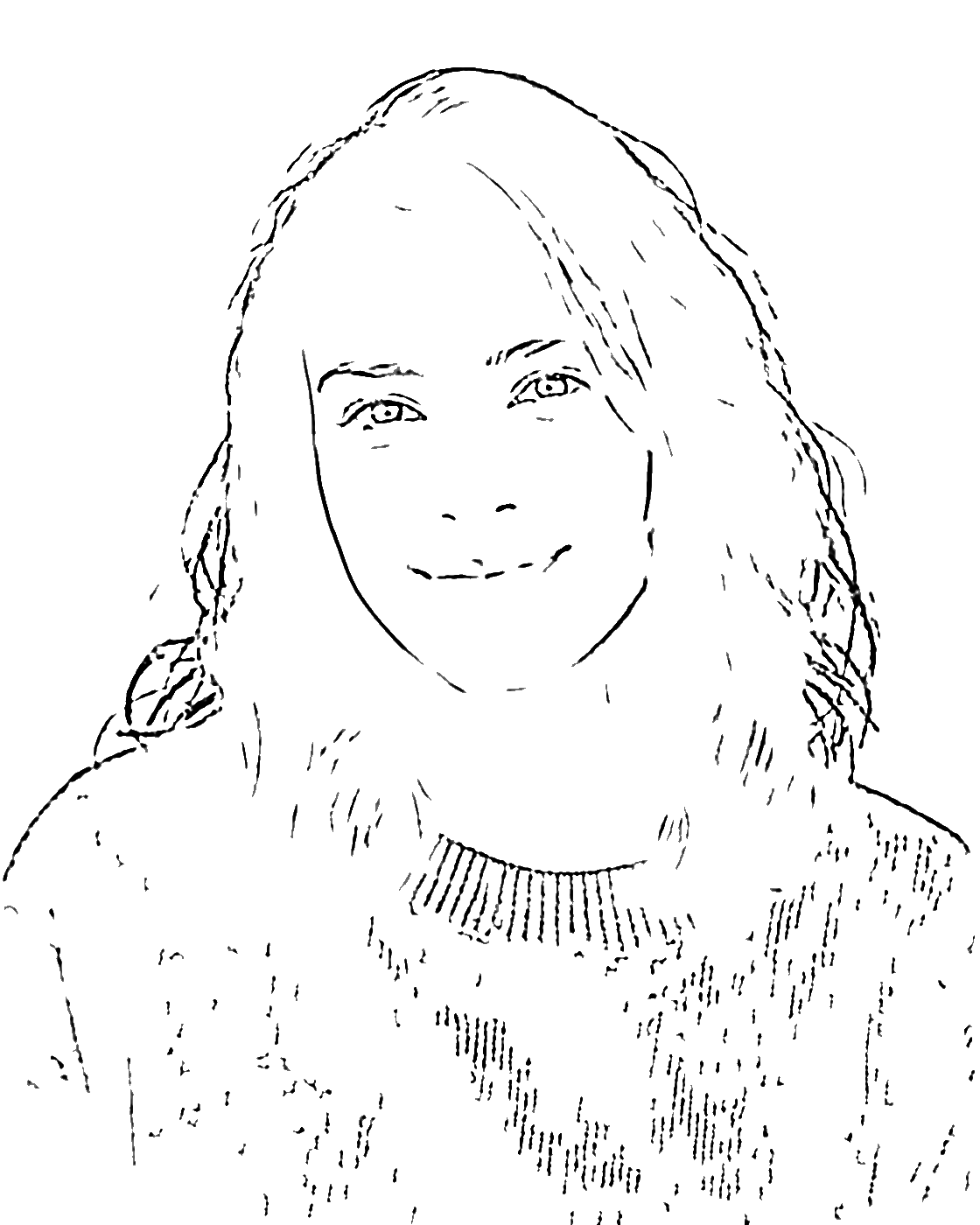
The same photo, converted with the default settings. Notice the extra hair strands, folds, and secondary edges compared with cleaner styles.
 Before
 After
AfterFrom upload to finished drawing in three steps.
Choose a JPG, PNG, or WebP file. The photo to line drawing engine prepares a working copy in your browser immediately.
The Detail slider is the star here — push it higher and the photo to line drawing keeps hair, fabric folds, and fine architecture edges.
Export a high-resolution PNG. Because the photo to line drawing preserves anti-aliased strokes, prints look smooth rather than pixelated.
The photo to line drawing converter produces black ink on white, but with a lighter touch than line art: thinner strokes, anti-aliased edges, and noticeably more secondary detail. Hair renders as flowing strands, clothing keeps its folds, and buildings show brick courses and trim.
Internally, the photo to line drawing engine uses an extended difference-of-Gaussians response, the same family of algorithms behind professional ink filters. That is why the output looks hand-drawn — soft gray transitions live along every stroke instead of hard pixel steps.
If the result is too dense, raise Smoothness or lower Detail. The photo to line drawing engine responds within a fraction of a second, so tuning is painless.
“Drawing is a visual art that uses an instrument to mark paper or another two-dimensional surface.”
When you want more detail than line art but no pencil shading.
Illustrators start with a photo to line drawing pass, then color or ink over it in their own style.
A photo to line drawing of a facade keeps window grids, cornices, and brick courses — ideal for study sheets.
Convert garment or product photos into drawings that highlight drape, seams, and silhouette — a quick photo to line drawing pass communicates cut faster than any flat product shot.
A framed photo to line drawing of a loved one or pet makes a personal, minimal gift.
The finer detail level suits older kids and adults who enjoy more intricate regions to color.
Turn reference shots into clean panels you can trace, ink, or restyle in your comic workflow.
Line art is bolder and cleaner with fewer strokes; a photo to line drawing keeps thinner lines and more secondary detail like hair strands and fabric folds.
Yes — free, unlimited, and no signup required. All conversions run locally in your browser.
Completely. The photo to line drawing engine processes pixels on your device with Web Worker technology and never uploads anything.
Sharp, well-lit photos with visible texture — hair, knits, masonry — show off the extra detail a photo to line drawing preserves.
The current version exports PNG only. If you need vectors, trace the PNG in Inkscape or Illustrator — clean black lines vectorize well.
That is intentional anti-aliasing, which makes a photo to line drawing look hand-inked. Use the line art tool if you prefer hard black-and-white only.
Yes. Upload from your camera roll, adjust sliders, and download the PNG — the full photo to line drawing workflow works on phones.
About 2 seconds. Every photo to line drawing pass runs locally: files up to 15 MB decode in the browser, PNG export keeps up to 4096 px, and nothing is ever uploaded.