Turn picture into coloring page sheets for kids
Turn picture into coloring page sheets starring your family pet, your house, or your child's own portrait — instantly more fun than a generic book.

Convert any photo into a printable coloring page with thick, clean outlines on a white background — in seconds. Free, no signup, and everything is processed in your browser as you turn picture into coloring page sheets.
Updated September 2026 by the team
Upload a photo to start
Drag and drop a JPG, PNG, or WebP image, or click to browse. Max 15 MB.
You can also paste an image from the clipboard (Ctrl+V / ⌘V).
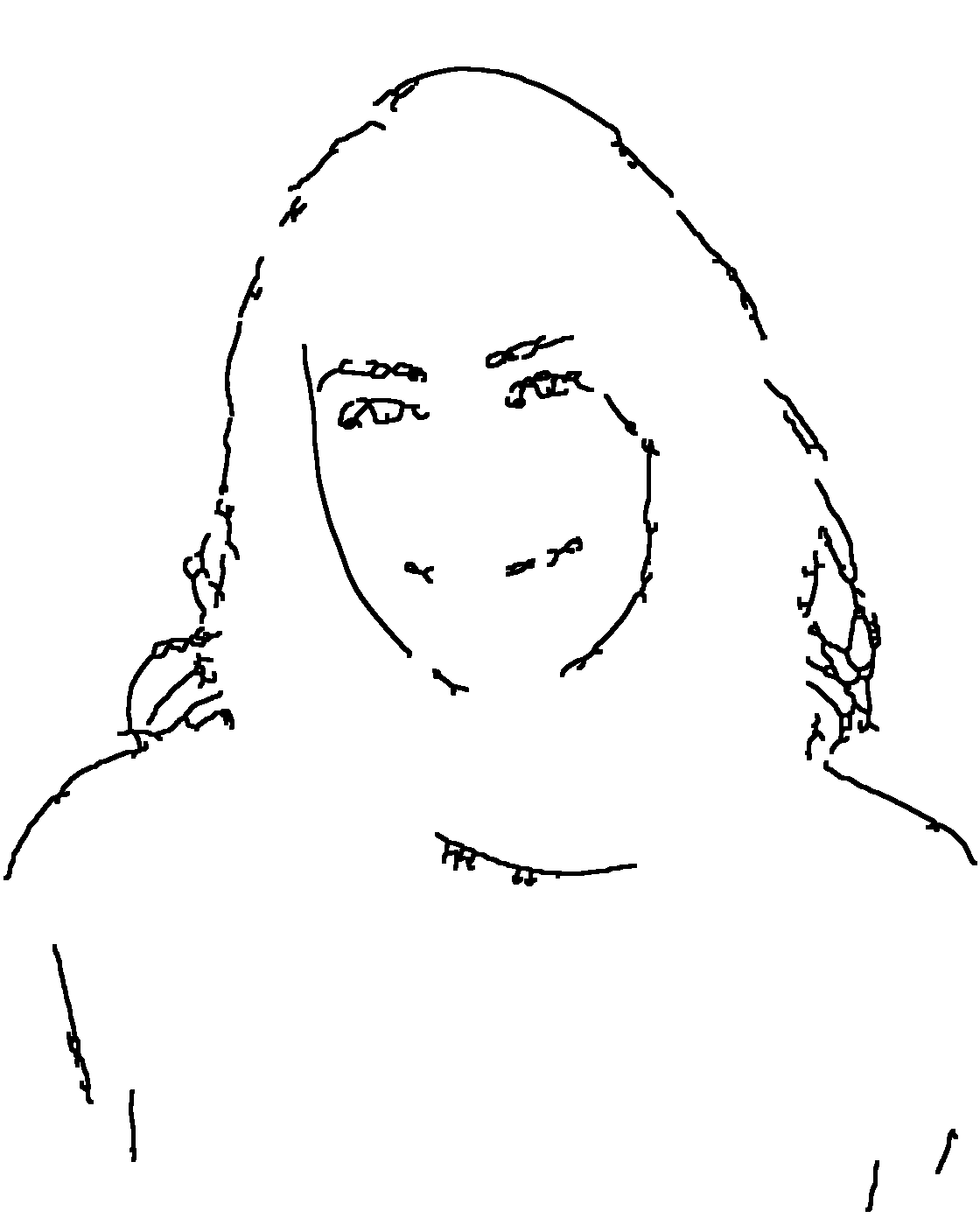
The same photo, converted with the default settings used when you turn picture into coloring page output: thick outlines, clean white regions, and no gray mess when printed.
 Before
 After
AfterThree steps from photo to printable page.
Pick a JPG, PNG, or WebP photo with clear subjects and good light. High contrast between subject and background gives the best coloring pages when you turn picture into coloring page output the first time.
Detail, Line Thickness, Clean Up, and Contrast sliders control how bold the outlines are, so you can turn picture into coloring page output that suits the age of the artist — thicker and simpler for toddlers, finer for adults.
Download the PNG and print it at 100% scale on Letter or A4 paper. The page you get when you turn picture into coloring page output is white, crisp, and ink-friendly.
The result is a true coloring page: pure white background, thick black outlines, and large closed regions that are easy for crayons and colored pencils. The engine removes hair-level texture, wall grain, and photo noise, keeping only the boundaries a child actually wants to color between. Families who turn picture into coloring page sheets regularly say the prints look store-bought, not homemade.
Compared with our line art converter, this mode uses thicker lines, stronger cleanup, and fewer interior details. That is what lets you turn picture into coloring page output which stays readable even at a quarter of a sheet. Faces keep eyes, nose, and mouth, but skin texture disappears — exactly what a good coloring page needs.
The tool never uploads your photo — the whole conversion runs in your browser, so you can safely use family pictures.
“A coloring book is a type of book containing line art to which people are intended to add color using crayons, colored pencils, marker pens, paint or other artistic media.”
From rainy afternoons to classrooms, printable pages beat screen time — and the fastest way to turn picture into coloring page handouts is right here.
Turn picture into coloring page sheets starring your family pet, your house, or your child's own portrait — instantly more fun than a generic book.
Teachers turn picture into coloring page handouts from history photos, science objects, or local buildings to support lessons — and students color their own school on it.
A hand-colored page from a family photo makes a charming, personal holiday card insert.
Batch-convert party photos into coloring sheets as a calm-down activity during birthday parties.
Portraits, flowers, and pets all work — turn picture into coloring page designs for adults and enjoy a relaxing, mindful coloring session at the end of the day.
Beginners trace the thick outlines to build line confidence before drawing freehand.
Yes, completely free with no signup and no watermark. You can turn picture into coloring page sheets as often as you like — every conversion runs in your browser.
Download the PNG, open it in any viewer, and print at 100% scale on Letter or A4 paper. Avoid 'fit to page' shrink — the lines are already sized for paper.
Yes. The tool works in mobile browsers — you can pick a photo from your camera roll, convert, and download the PNG directly on your phone. Turn picture into coloring page sheets anywhere, then print them from any printer later.
Coloring pages deliberately drop fine texture so regions stay colorable. Raise the Detail slider if you want more interior lines, or lower Clean Up to keep smaller features — then turn picture into coloring page prints again in one click.
Yes. The conversion runs entirely in your browser and nothing is uploaded, so family photos never leave your device.
Bright, evenly lit photos with a clear subject and an uncluttered background. Group photos with overlapping faces are harder — crop to one subject for the best page.
Convert several photos one by one and print each page. Bundle them into a folder or staple the sheets — a homemade coloring book made from your own pictures is the most popular way to turn picture into coloring page collections.
Under 3 seconds for the live preview on a typical laptop. You can turn picture into coloring page output from files up to 15 MB, export at up to 4096 px, and print at 100 percent scale on Letter or A4 — free, with no signup.